Case study

How we enabled a Swiss private bank to move beyond the Copilot experience

In about six months, from May to October 2026, a Swiss private bank went from no AI in daily work to department-wide Microsoft 365 Copilot adoption, configured team solutions and AI that retrieves data from its own core systems. S-PRO guided the bank up the maturity curve one level at a time, with the Copilot Booster method: training first, engineering second.

Book a first workshop

  • Microsoft 365 Copilot
  • Copilot Studio
  • Microsoft Foundry
  • Copilot Booster
Client
Swiss private bank, part of an international banking group
Teams
Front office, Credit, Compliance, Finance, Investments, HR, Operations
Timeline
May to October 2026, 2027 roadmap agreed
Service
AI enablement with the Copilot Booster method
Old-town cathedral above a lake at night, private bank case study

Hours saved per person, per week

  • Credit8h
  • Front office7h
  • Compliance5h
  • Finance4h
  • Investments3h
  • HR2h

Estimated by the team, after training and the first configured solutions. Not a measured result. No estimate is available for Operations.

30h
of hands-on training
built on each team's own working day
12
quick wins covered
through the training
2
specialised agents built
on the bank's own data

The journey

How we move clients up the AI adoption curve

We measure AI adoption on a six-level scale. The first three levels are about people using Microsoft 365 Copilot well, out of the box. Levels 4 and 5 need engineering: governed data, retrieval and purpose-built workflows. Level 6, fully agentic processes, is mostly market noise for a regulated bank today.

The bank moved through the levels on two tracks: training and adoption first, then engineering and development. This is a working framework of S-PRO, not an industry standard. Click through to see where it stood at each point.

Out of the boxEngineered AI
Level 01Reached beforeChat userRewording, translating, summarising. One-shot prompts; the answer is copied out and finished elsewhere.
Level 02Reached beforeWorks inside the appsCopilot in Outlook, Teams, Word and Excel on the real mail, meeting or file. Work happens in rounds.
Level 03Reached beforeConfigured for the teamShared prompts, agents and curated team knowledge. People know where out-of-the-box AI stops.
Level 04Focus at this stageAI data retrievalAI knows the source systems and pulls the right data into context on demand.
Level 05Next, in proof of conceptAI workflowsPurpose-built use cases on a governed data layer. Evaluated, tested, confirmed by a human.
Level 06Not targetedAgenticMarket noiseAgents own a process end to end. Still hard to clear with governance and risk in banking.
By October 2026
Copilot Booster journey Maturity of solution and people →
Reached before Focus at this stage Next, in proof of concept

May 2026

Starting point

Starting from zero

AI was not part of anyone's working day. Copilot had not been rolled out, and there were no shared prompts, agents or use cases. Some people expected Copilot to do everything once it arrived. Others assumed it could do nothing useful with bank data. Neither view helped.

The pressure to move came from the work, not the technology. Teams were small and stretched. Copilot went live across the bank at the end of July 2026, and a new operational data layer on the core banking side was due in August.

Step 01

Talk to the teams

How do you assess needs and classify use cases?

We started with workshops and interviews in every department: front office, Credit, Compliance, Finance, Investments, HR and Operations. The questions were simple. What does your day look like, where does time go, and what would you stop doing if you could?

Credit

Reporting eats the week

Flat core banking exports, Access databases and VBA macros. One analyst spent most of his time producing reports.

Finance

Numbers retyped by hand

Figures pulled from several Excel files and typed into a recurring presentation. Invoices coded manually against a supplier sheet.

Front office

Meeting prep from five places

CRM, core banking, inbox, market news and last meeting's notes, assembled by hand before every client call.

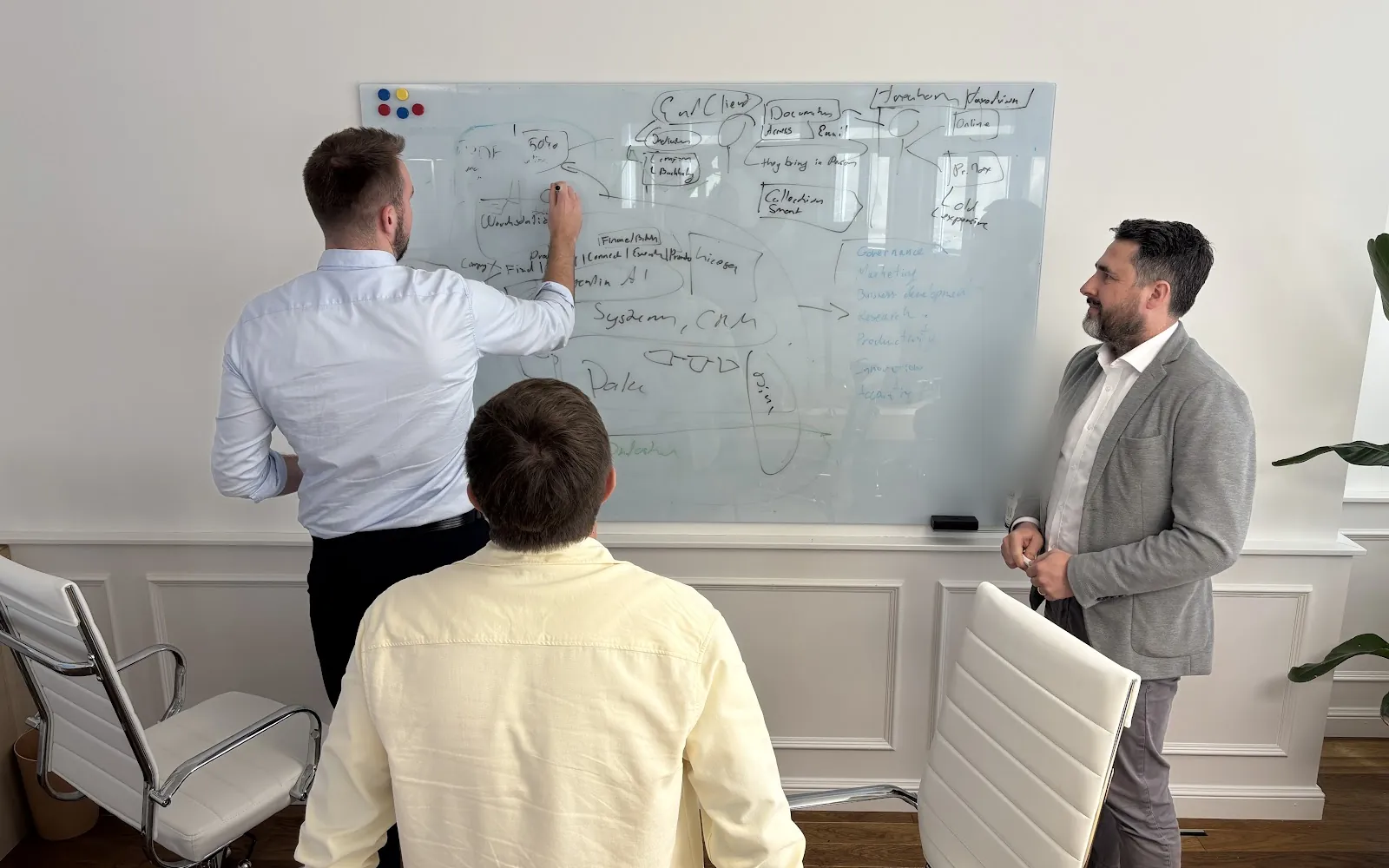
S-PRO team at a whiteboard workshop session
S-PRO team workshop, Zurich office

Everything we collected

34use cases from the interviews, before any filtering.
  1. Accumulator pricing
  2. Adverse media
  3. Call report and cross-border
  4. Client proposal assistant
  5. Commentary assistant
  6. Credit applications
  7. Credit simulation
  8. CV scanning into Excel
  9. Data analytics and comparison
  10. Document analysis
  11. Email assistant
  12. Enhanced transaction monitoring
  13. Follow-up on CRM notes
  14. Fraud detection
  15. Fund subscription forms
  16. FX and OTC reconciliation
  17. Gap analysis on policies
  18. HR self-service chatbot
  19. Investment search assistant
  20. KYC
  21. LTV analysis
  22. Meeting minutes
  23. Periodic review
  24. Policies and procedures
  25. Quarterly market newsletter
  26. Regulatory update
  27. Report preparation
  28. Retrocession processing
  29. Risk and control self-assessment
  30. Stock-price drop research
  31. Summarising regulations
  32. Survey creation
  33. Third-party FI forms
  34. Translation assistant

Then: classify every process

Assess and classify each use case

Every use case went into one of four categories, signed off with the bank in a scope workshop in June 2026.

Some requests were reporting or data problems, and the honest answer was ETL, a dedicated tool or Power BI, not AI. Saying so early kept AI credible for the cases where it fits.

Select a category to see its use cases.

34use cases classified

How do you decide between a quick win and a sophisticated build?

A quick win is Copilot out of the box: one person, one prompt, a draft they check before it goes anywhere. A sophisticated build is engineered together with IT, tested, and maintained like any other system the bank runs. Most use cases sit clearly on one side, but some look simple and are not. Every use case was therefore assessed against the same ten criteria, five technical and five governance. If any governance criterion applies, or several technical ones do, the use case is classified as a build.

If any governance criterion applies, or several technical ones do: build.

Technical criteria

Context volume and retrieval. If the input fits into a prompt or a handful of files, Copilot can process it within its context window. A credit file with valuations, leases, statements and years of correspondence does not. At that size the content has to be indexed and retrieved from a managed document collection, otherwise Copilot only sees whatever happens to fit.

System integration. Mail, Teams chats and SharePoint files are already in Microsoft 365, so Copilot can reach them without any setup. Data in core banking, the KYC platform or a market data feed is different. Each of those needs a connector, and each connector needs access rights, testing and an owner.

Deterministic output. A meeting summary with slightly off phrasing is still useful, because a person reads it before it is used. A loan-to-value ratio or a debt service coverage ratio has to be correct every time and reproducible on every run. Figures like these require deterministic calculation logic that is built and tested, not generated by a language model.

Workflow orchestration. A single request with a single response is what Copilot handles well. When the work has several steps, branches depending on the result, or should run on a schedule without anyone starting it, it is a workflow. Workflows need to be designed, and their failure cases handled.

Write-back to systems of record. If a person copies the output into an email or a document, they stay in control. If the result is written back into a production system, like a credit application or a client record, the integration has to be built properly and every write has to be traceable.

Governance criteria

Ownership and lifecycle. A prompt someone uses for their own work needs no owner. A tool the whole team relies on does. Someone has to keep its instructions current, fix it when results drift, and decide when it changes.

Regulatory risk classification. Drafting an internal note is low risk. Anything that feeds a credit decision, a KYC assessment or a regulatory report sits in a regulated process. That calls for controls, review steps and a clear line on what the AI may and may not decide.

Auditability and traceability. Most everyday work does not need it. Where a decision may have to be explained to an auditor or a regulator later, the sources behind each answer must be logged and the reasoning kept. Copilot chat alone does not give you that.

Standardisation. When each person writes their own prompts, results vary from person to person, which is fine for personal productivity. For a process where every relationship manager has to produce the same output in the same format, the logic has to be fixed in one shared build.

Data classification and residency. Public or internal, non-sensitive content can be handled out of the box. Client data and confidential information bring requirements on where data is processed, who may see which client, and how access is controlled. Meeting those requirements is engineering work.


Which Microsoft platform fits which class of use case?

The classification also decides the platform. The more a use case needs integration, determinism and control, the further up the stack it goes. See also how S-PRO extends Microsoft 365 Copilot with governed AI agents.

Build · developers · Levels 5–6Microsoft Foundry

Formerly Azure AI Foundry. Custom AI apps, engineered workflows and multi-agent setups on the bank's own data.

Sophisticated builds
Extend · makers and IT · Levels 3–4Copilot Studio

Low-code agents with connectors into the bank's business systems.

Experiments and team agents
Adopt · everyone · Levels 1–3Microsoft 365 Copilot

AI in Outlook, Teams, Word and Excel, grounded on Microsoft 365 data.

Quick wins, covered in training

Governance layers across the stack

Microsoft EntraIdentity and least-privilege access for users and agents
Microsoft PurviewSensitivity labels and data loss prevention, no oversharing
Microsoft DefenderThreat protection for apps, data and agents
Microsoft Agent 365A registry and control plane for the organisation's agents

These are the layers the framework covers.

Three examples, three verdicts

Sophisticated buildCredit applications

Large client files, data from several systems, exact numbers, a multi-step workflow that ends in the credit system. And every governance question applies: a regulated process, client data, a shared tool that needs an audit trail. This one gets engineered with IT.

Platform: Microsoft Foundry
Experiment firstQuarterly market newsletter

One technical trigger: the research behind it is more than a prompt can hold. No client data and no regulated decision. Worth a short experiment with the newest models before anyone commits to a build.

Platform: Copilot Studio
Quick winMeeting minutes

No triggers at all. The meeting is already in Teams, a person checks the draft, and nothing goes back into a system. Copilot out of the box, covered in the training.

Platform: Microsoft 365 Copilot

Step 02

Analyse the IT landscape

How do you map data needs to processes?

A use case is only as good as the data it can reach. Together with the bank's IT we mapped the landscape in five layers, then traced which processes need which systems and how sensitive that data is.

Which process needs which data

ProcessData classCore bankingKYC platformMail, TeamsDocumentsScreeningMarket data
Credit applicationsClient financialClient financialreadsreadsreadsreads-reads
KYC onboarding and refreshClient financialClient financialreadsreadsreadsreadsreads-
Periodic reviewClient financialClient financialreadsreadsreads-reads-
Adverse mediaConfidentialConfidential--reads-reads-
Call report and cross-borderConfidentialConfidentialreads-reads---
Investment searchLicensed, non-clientLicensed, non-client---reads-reads

Swipe

Simplified from the process walkthroughs. A filled dot means the process reads from that system.

Step 03 · Level 1 → 3

Training and adoption

How do you teach the working day?

People don't adopt Copilot in one jump. They move through levels, and the training has to meet each person where they are.

  1. Level 1, chat user. Copilot is a chat window for rewording, translating and summarising. One prompt, copy the answer out, finish the work elsewhere.
  2. Level 2, working inside the apps. Copilot runs in Outlook, Teams, Word and Excel, on the real mail, meeting or file, and the work happens in rounds instead of one shot.
  3. Level 3, configured for the team. Shared prompts, agents and team knowledge, and a clear sense of where out-of-the-box Copilot stops.

Across the working day

Feature tours don't move anyone up a level. A senior relationship manager told us non-technical staff need to see the advantage in their own day before they accept a new system. So we walked people through a normal working day: catching up on the inbox in the morning, letting Copilot take the notes in a meeting, following up on what was agreed, and turning a raw export into a reusable tracker in the afternoon. At every moment we showed what Copilot takes off their plate and which prompt or setting does it.

  • MorningInbox catch-up
  • MeetingCopilot takes the notes
  • Follow-upWhat was agreed
  • AfternoonRaw export into a reusable tracker
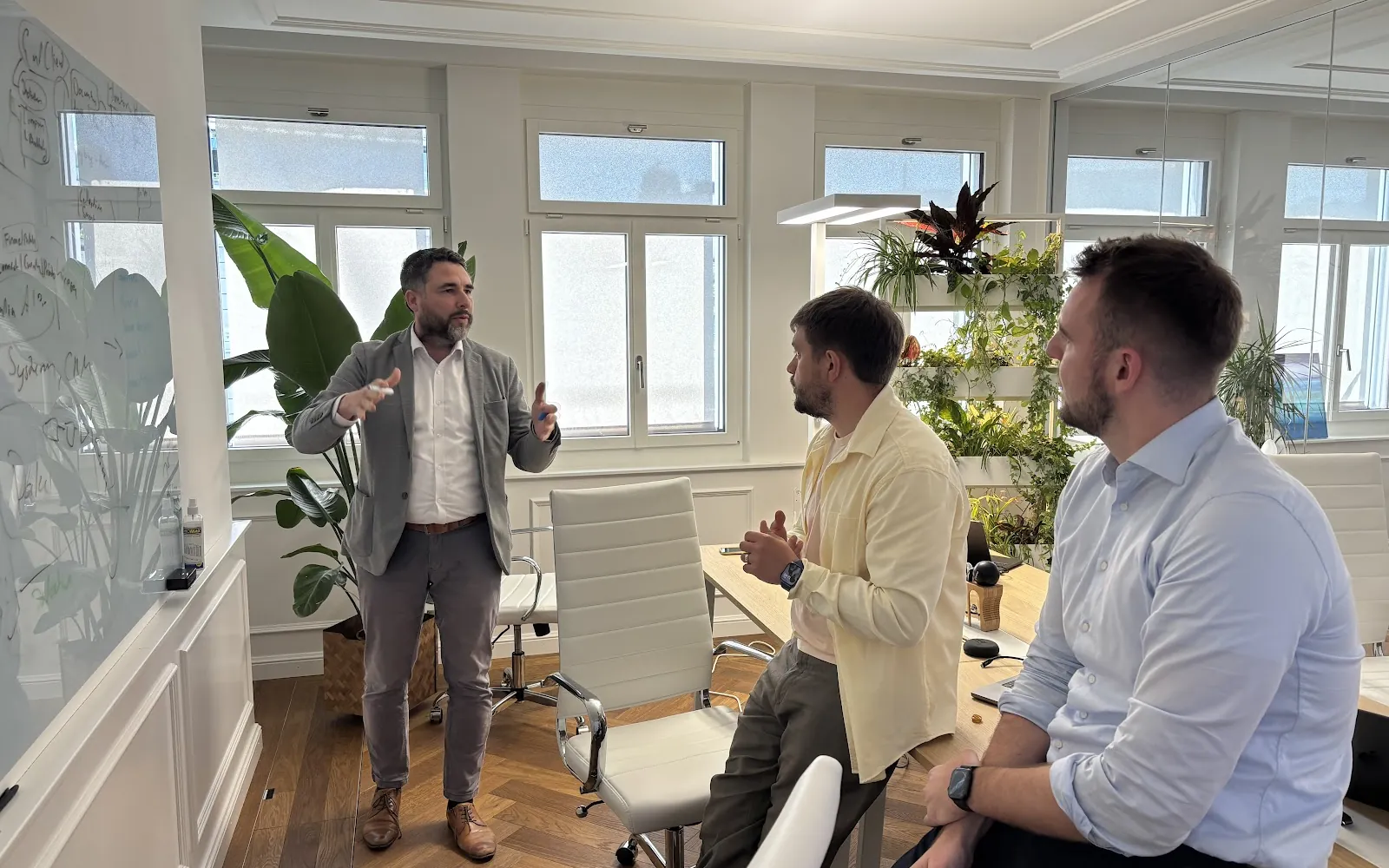
S-PRO team in a workshop at our office
S-PRO team workshop, Zurich office

Across the use cases of each department

A generic session only goes so far, because every department works differently. Credit spends its time on credit files, committee minutes and valuation summaries. Finance moves numbers from Excel into recurring presentations and codes invoices. Compliance tracks mandatory training and screens news about clients. The front office prepares client meetings and writes call reports. So the training followed the classification from step 1: each department worked through the quick wins that came out of its own interviews, on its own documents and its own examples. That is what made the training stick. People left with prompts they could use the next morning, not a list of features. In total that came to 30 hours of training between August and October 2026, covering all 12 quick wins.

What we taught along the way

Every prompt in the sessions followed the same five ingredients: the goal, the context, the source to work from, the format of the answer, and the boundaries of what to leave out or not to guess. On top of that, each team took away a handful of habits:

  • Don't expect to get it right in one shot, because the first answer is a draft.
  • Give examples rather than long descriptions.
  • Point Copilot to the exact file instead of making it search.
  • Start a new chat for a new task.
  • The last 20% of polish and proofreading stays with the human.

To keep this going after the sessions, we set up one AI champion per department. The champion collects new use cases, keeps the shared prompts current and gets deeper sessions with S-PRO, so adoption doesn't depend on a consultant being in the room.

Example outcome

Level 5AgentLive prototype

What does the credit application agent do?

The relationship manager asks for a credit application in plain words. The agent reads the client file, runs the collateral and financial analysis, checks policy and drafts the memo with a source on every figure. Anything outside the guidelines is flagged, not overridden. A human reviews and owns the decision.

Prototype with invented client data, not a production agent. The animation plays when it scrolls into view. Replay available.

Illustrative example, fictional data

AI Agent
@Credit memo agent Prepare a credit application for Marchetti Holdings: Lombard facility, USD 5.0m, 3-year, RM spread 1.20% against their portfolio.
AI Agent
Reasoned over the client file · 9 sources
Understanding the request
Lombard facility · USD 5.0m · 3-year tenor · RM spread 1.20%. Client identified in the client file. Request
Retrieving client & portfolio
Loaded a portfolio of USD 12.4m across 42 positions, plus the latest net-worth statement. Core Banking System
Pulling the KYC storyline
Client section of the memo auto-filled from the existing KYC profile, no retyping. Onboarding / KYC System
Collateral analysis (Lombard)
Liquidity 91% · diversification acceptable · one position is 28% of the portfolio, above the 25% concentration guideline. Core Banking + Market data
Financial analysis
Computed from the net-worth statement: DSCR 1.45, ICR 2.10. Both above minimum. Net-worth statement
RAROC profitability
Including non-lending revenue, RAROC is 18.2%, clearing the 15% minimum at the requested spread. Pricing tool
Policy & exception check
LTV 40.3% within the 60% limit and RM authority. No head-office exception triggered. Credit policy (30-100 pp.)
Obligor rating
Internal model returns rating 4 / 10 (investment-grade equivalent) from collateral + net worth. Internal rating model
Drafting the credit memo
8 memo sections populated in the head-office template. 1 item flagged for your attention. Memo template

Done. I assessed Marchetti Holdings for a USD 5.0m Lombard facility over 3 years. On the numbers it holds up: LTV 40.3%, DSCR 1.45, ICR 2.10, RAROC 18.2%, internal rating 4/10. No head-office exception is triggered.

⚠️
One item for your attention. A single equity position is 28% of the portfolio, above the 25% concentration guideline. I have not overridden it.

I’ve drafted the full credit memorandum, 8 sections with a source on every figure:

Credit Memo — Marchetti Holdings.docx
Draft memo · 8 sections · 214 KB
Human-in-the-loop. The agent prepares, you review, edit and own the decision.
Message the agent…

What we learned

Five things we'd do the same way again

01Start from the working day

Mapping Copilot onto a real day in the front office landed far better than any feature list. People adopt what saves them time on Tuesday morning.

02Say what AI is not for

Several requests were reporting or data problems. Pointing those to automation or Power BI kept AI credible for the cases where it fits.

03Out of the box first, engineering second

Level 3 showed the bank exactly where Copilot stops. That made the case for the data layer obvious instead of theoretical, and the engineered use cases were chosen by the business.

04Governance is part of the design

Access rights, hosting location and environment ownership were settled before client data went near a model. For a regulated bank, that is the difference between a demo and something that can go live.

05Skip Level 6 for now

Fully agentic processes still raise real governance and risk questions in private banking. Getting Levels 4 and 5 right comes first.

What's next

From proof of concept to production

FAQ

Questions about this project

How long does it take a private bank to go from no AI in daily work to department-wide Copilot?

In this case about six months, from May to October 2026. Copilot went live across the bank at the end of July 2026. Between August and October the training came to 30 hours in total, built on each team’s own working day and covering all 12 quick wins. By October 2026 the bank had reached Level 4, AI data retrieval, and the 2027 roadmap was agreed.

How do you decide which AI use cases need a custom build and which Copilot can handle out of the box?

We assess every use case against ten criteria: five technical (context volume, system integration, deterministic output, workflow orchestration, write-back to systems of record) and five governance (ownership, regulatory risk, auditability, standardisation, data classification and residency). If any governance criterion applies, or several technical ones do, it is a build. Otherwise it is a quick win.

Which Microsoft platforms did the bank use, and why those?

Three layers. Microsoft 365 Copilot for quick wins that everyone uses in Outlook, Teams, Word and Excel. Copilot Studio for experiments and team agents with connectors into business systems. Microsoft Foundry (formerly Azure AI Foundry), hosted in Switzerland, for engineered builds on the bank’s own data. The more integration, determinism and control a use case needs, the higher it goes.

How reliable are the hours-saved figures?

They are estimates, not measurements. The teams gave them after the training and the first configured solutions: Credit 8 hours per person per week, Front office 7, Compliance 5, Finance 4, Investments 3, HR 2. We do not add them up or convert them into money.

How can a bank start a similar programme?

With a first workshop: interviews with your teams, a classification of the use cases and a priority roadmap for those worth building. S-PRO’s design thinking pilot starts from USD 20k and takes 2 to 4 weeks. This is the general entry offer, not the price of the project described here.

Copilot Booster

Where is your bank on the curve?

We pick you up where you stand: a first workshop, interviews with your teams and a priority roadmap for the use cases that are worth building.

© S-PRO. Client name withheld at the client’s request. The prototype shows invented data.

Contact

You will talk to engineers who build for banks, not to a sales script. Share your ideas, findings and questions with us.

  • Security and privacy firstISO 27001 and ISO 27701 certified.
  • Claude Partner NetworkS-PRO is a Certified partner in the Claude Partner Network. Our team includes Claude-certified engineers and architects.
  • Proven in regulated financeBanks, wealth managers and fintechs in Switzerland, the EU and the US.

Who you’ll talk to

Michael BarskyiMichael BarskyiHead of Banking & Fintech
Dustin SchulzeDustin SchulzeSenior Business Analyst
Claude Certified Services Partner (Anthropic)Claude Certified Services Partner(Anthropic)
4.946 reviews on Clutch

Contact us

Send us your request

Share your ideas, findings and questions with us.

    We use your details to answer this request (Privacy Policy). This site is protected by reCAPTCHA.
    Link copied to clipboard